

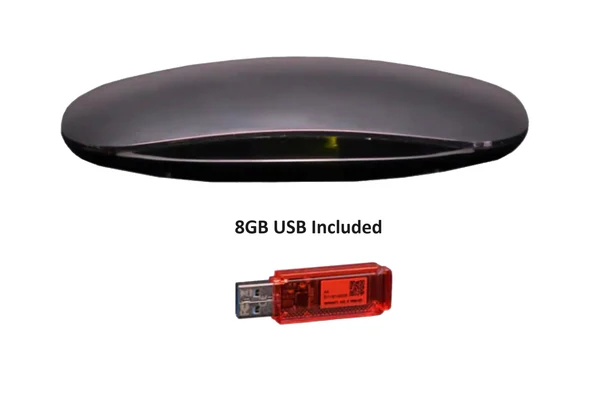
Best DVR Options for Antenna TV Viewing
A DVR for antenna TV allows users to record over-the-air broadcasts from local channels. It stores content digitally, enabling viewers to watch their favorite programs at their convenience. Unlike cable DVRs, antenna DVRs work with free channels available through an HD antenna, making them cost-effective.
These DVRs offer features such as scheduled recordings, pause, rewind, and fast-forward. They often come with internal storage or the option to connect an external hard drive. Users can record sports events, news, movies, and TV shows without monthly subscription fees, making them an attractive option for cord-cutters.
Additionally, many modern DVRs support HD recording, ensuring clear picture quality. Some models even offer streaming capabilities, allowing users to watch their recordings on mobile devices. By combining an HD antenna with a DVR, viewers gain flexibility in how and when they watch TV, transforming free broadcasts into a personalized entertainment experience.
How DVR Enhances Antenna TV Experience
DVR enhances antenna TV by providing control over live broadcasts. Without a DVR, viewers must watch programs as they air, risking missed content. A DVR solves this problem by recording shows for later viewing.
One significant advantage is time-shifting. Users can record content and watch it when convenient, skipping commercials and unnecessary segments. This flexibility is ideal for busy households, ensuring entertainment fits individual schedules.
Many DVRs also offer simultaneous recording and watching. Users can record one channel while watching another, avoiding conflicts between family members. Advanced DVRs even suggest programs based on viewing habits, making content discovery easier.
With cloud storage options available in some models, users can access recordings remotely. This functionality turns an ordinary antenna setup into a modern entertainment hub, providing freedom and convenience.
Key Features to Look for in an Antenna DVR
When choosing a DVR for antenna TV, several key features can enhance the viewing experience. One important factor is storage capacity. Internal storage varies by model, ranging from 500GB to several terabytes, while others support external hard drives for expanded space.
Another essential feature is the number of tuners. DVRs with multiple tuners can record several channels simultaneously. For families, this prevents conflicts and ensures everyone gets to watch their preferred shows.
Look for DVRs with user-friendly interfaces, allowing easy scheduling and playback. High-definition recording ensures clear picture quality, while some models offer 4K support. Remote access via apps adds convenience, enabling viewing from smartphones and tablets.
Compatibility with existing equipment is crucial. Ensure the DVR works with your HD antenna and television. Energy efficiency, reliable customer support, and regular firmware updates further enhance the experience.
Benefits of Using a DVR with Antenna TV
Using a DVR with an antenna TV offers numerous benefits, starting with cost savings. Since over-the-air channels are free, viewers only need to invest in an HD antenna and DVR, eliminating monthly cable bills.
Flexibility is another advantage. Users can record shows, pause live TV, and skip commercials. This convenience transforms traditional broadcast television into an on-demand experience.
DVRs also improve content discovery. Some models provide program guides and recommendations, making it easier to find exciting shows. Families benefit from simultaneous recording, ensuring everyone gets to watch their favorite content.
Additionally, DVRs with mobile access allow users to watch recordings from anywhere. This portability ensures entertainment on the go, further enhancing the value of antenna TV setups.
Setting Up Your DVR for Antenna TV
Setting up a DVR for an antenna TV is straightforward. Start by connecting the HD antenna to the DVR. Most DVRs have a coaxial input for antenna connections, ensuring seamless integration.
Next, connect the DVR to the television using an HDMI cable. Ensure the DVR receives a strong antenna signal by adjusting the antenna’s position. Once connected, run a channel scan through the DVR’s settings menu.
After scanning channels, set up storage. Some DVRs have internal storage, while others require an external hard drive. Ensure enough space for recording high-definition content.
Finally, configure the DVR’s program guide and recording preferences. Schedule recordings set up recurring shows, and explore additional features like mobile access and cloud storage.
Comparing Popular DVR Models for Antenna TV
Several DVR models stand out for antenna TV users. The Tablo Dual Lite offers dual tuners, allowing users to record two shows simultaneously. It supports external storage and remote viewing through its mobile app.
The TiVo Edge for Antenna provides a user-friendly interface and robust program guide. It features 500GB of internal storage, expandable with an external hard drive. TiVo’s voice control simplifies content discovery.
For budget-conscious users, the Mediasonic HomeWorx DVR delivers basic recording functionality at an affordable price. It lacks advanced features but performs well for single-channel recording.
Each model has unique strengths, so users should choose based on their needs and budget.
DVR Storage Options for Antenna TV
DVR storage options vary by model. Some DVRs include internal storage, typically ranging from 500GB to 2TB. This capacity allows users to store hundreds of hours of HD content.
External storage is another option. Many DVRs support USB-connected hard drives, enabling flexible expansion. Users can swap drives to organize recordings by category or user preference.
Cloud storage is gaining popularity. Some DVRs offer cloud-based recording, allowing access from multiple devices. This feature ensures recordings remain available even if the physical DVR experiences issues.
Choosing the right storage depends on viewing habits. Heavy users benefit from large-capacity drives, while occasional viewers may find internal storage sufficient.
DVR Recording Quality for Antenna TV
Recording quality impacts the viewing experience. Most modern DVRs support HD recording, delivering clear visuals and crisp audio. Standard HD resolution is 1080p, though some DVRs support 4K recording for enhanced clarity.
Higher recording quality requires more storage space. Users should balance quality and storage capacity based on their needs. Adjustable settings allow users to prioritize storage or quality.
Advanced DVRs offer adaptive recording, adjusting quality based on signal strength. This feature ensures stable recordings even in areas with fluctuating reception.
Remote Access and Streaming with DVR
Many modern DVRs provide remote access and streaming capabilities. This feature allows users to watch recordings from smartphones, tablets, or laptops.
To enable remote access, connect the DVR to a home network. Most DVRs support Wi-Fi or Ethernet connections. Once connected, users can access recordings through dedicated apps.
Streaming ensures users never miss content, even while traveling. It also facilitates multi-room viewing, allowing family members to enjoy recordings on different devices.
DVR Subscription vs. Free Options
DVRs for antenna TV come in subscription-based and free models. Subscription-based DVRs, like TiVo, offer advanced features, such as automatic commercial skipping and cloud storage.
Free DVR options, like Tablo and Mediasonic HomeWorx, provide essential recording functionality without recurring fees. Users can record, pause, and rewind live TV without additional costs.
The choice depends on user preferences. Subscription models suit users seeking premium features, while free options satisfy budget-conscious viewers.
Troubleshooting Common DVR Issues
DVR users may encounter occasional issues. Signal loss is common, often caused by weak antenna reception. Repositioning the antenna or using an amplifier can resolve this problem.
Storage errors may occur if the DVR’s hard drive reaches capacity. Regularly delete old recordings to free up space. If the DVR fails to record scheduled programs, ensure the clock settings are accurate and the channel signal is strong.
Firmware updates can also resolve software glitches. Most DVRs update automatically when connected to the internet, ensuring optimal performance.
Future Trends in DVR for Antenna TV
DVR technology continues to evolve. Future trends include increased storage capacity, 4K and HDR recording, and enhanced cloud storage options.
Artificial intelligence is shaping DVR functionality. Smart DVRs can recommend shows based on viewing habits and prioritize recordings of popular programs.
Improved mobile apps will further enhance remote access, ensuring users can enjoy content anywhere. As technology advances, DVRs will continue to transform the antenna TV experience.
What is the Best DVR for Antenna TV?
The best DVR depends on individual needs. The Tablo Dual Lite offers flexibility with external storage and remote access. TiVo Edge provides a user-friendly interface and premium features. Budget-conscious users may prefer the Mediasonic HomeWorx for basic functionality.
Can I Use a DVR with an AAnHD Antenna?
Yes, most DVRs are compatible with any HD antenna. Ensure the antenna receives strong signals for optimal recording quality. Connect the antenna to the DVR’s coaxial input, scan for channels, and start recording.
Do DVRs for Antenna TV Require Internet?
While some DVRs function without the internet, many advanced features rely on connectivity. Internet access enables remote viewing, cloud storage, and automatic program guide updates. Users without the internet can still record and watch live TV locally.
